
A file can open successfully and still have lost something important. A spreadsheet may display numbers while its formulas are gone. A document may retain the words while the page layout changes. A project export may show a finished image but omit the layers needed to edit it.
Portability therefore begins with a purpose. Do you want another person to read the result, continue editing, analyse the data or preserve a record? One format rarely serves every purpose equally well. A small collection of deliberately chosen copies can be more dependable than insisting that one extension must do everything.
Keep a working original and an exchange copy
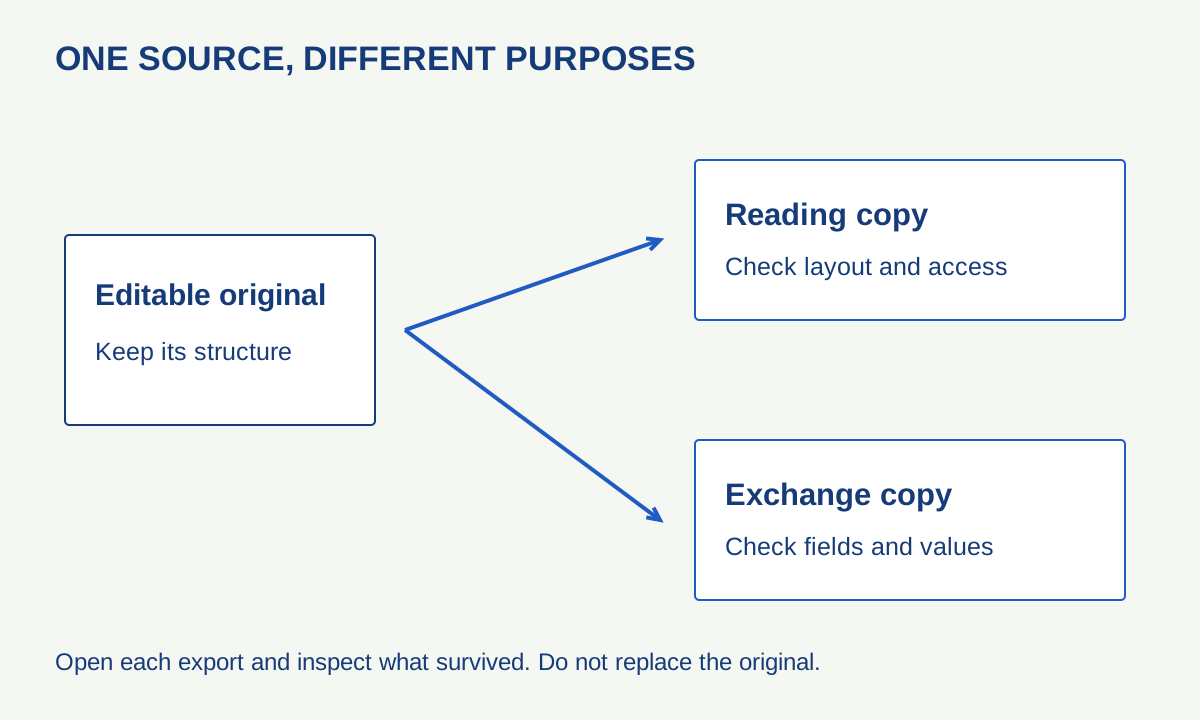
The working original preserves the application’s editing structure as well as it can. An exchange copy serves a particular audience or task. Keeping both avoids a common mistake: replacing the only editable version with a convenient export and discovering the loss later.
For example, a community reading list might have a spreadsheet master, a PDF for printing and a CSV for importing titles into another system. Those are three uses of the same information, not three interchangeable backups. Each copy needs a clear name and a date so that a reader can tell which version it represents.
This is an original example, not a recommendation to use a particular paid product. The principle works with many tools: retain the source, export deliberately and reopen the export using the route your recipient is likely to use.
What a CSV does—and what it does not
CSV stores records as text fields separated by delimiters. RFC 4180 documents a common comma-separated form, including quoted fields containing commas or line breaks. Real applications also offer variations, so an extension alone does not settle the delimiter, encoding or interpretation.
LibreOffice’s CSV guide makes a particularly useful limitation explicit: a standard export covers the current sheet’s data, not a complete multi-sheet workbook with formatting and formulas. Preserve the workbook if those features matter.
Imagine a three-column list: identifier, title and publication year. An identifier such as 00127 is a label, not a quantity. If the receiving application treats it as a number, the leading zeros can disappear. A date-like label can also be reinterpreted. Inspect the import preview and specify text for columns that should remain text.
Do not test with the easiest row alone. Include a comma inside a title, an accented name, a blank field and a leading-zero identifier. These ordinary edge cases reveal more than a demonstration containing only “Alice,Book,2020”. Use fictional, non-sensitive sample data when exploring unfamiliar tools.
A reading copy is a separate design task
A PDF can be useful when the reader needs a stable page-based presentation. That does not automatically make it accessible, searchable or suitable for editing. Inspect the exported result: can text be selected, are headings meaningful, do links work, and is the reading order sensible?
A scan of a page and a document exported with real text may look similar while behaving differently. If the reader needs to search or copy a passage, test that action explicitly. If the reader uses assistive technology, visual appearance is only one part of the check.
Keep the original document alongside the reading copy so that future corrections do not depend on reconstructing a layout from its final appearance. Name the files clearly rather than relying on a long chain of “final”, “final2” and “really-final”.
Build a tiny export test
| Item | What to test | Evidence of a problem |
|---|---|---|
| Text document | Headings, accents, links and page breaks | A heading becomes ordinary text or a link stops working |
| Spreadsheet | All sheets, formulas, identifiers and dates | Only one sheet appears or an identifier changes |
| Image project | Dimensions, transparency and editable structure | The export looks correct but needed layers are absent |
| Audio or video project | Playback, duration and linked assets | The project opens but cannot find a source file |
Begin with a copy of the source. Export it, close the export and reopen it. If practical, try another application that claims to support the format. Compare a few deliberately chosen features rather than merely checking that no error message appears.
Document the application and export settings when the work is important. A future reader may need to know which delimiter was chosen or whether the copy contains values rather than formulas. A short readme file can preserve that context without depending on the original application.
Do not confuse openness with guaranteed longevity
A documented format can make interpretation easier, but files still need storage, understandable organisation and occasional checks. An unusual feature can also travel less reliably than basic text or a simple table even when both are supported in principle.
Avoid unnecessary conversion chains. Exporting through several programs can make it harder to identify where a change occurred. Keep the first original intact and compare each required output directly with it. When an export is incomplete, label the limitation rather than quietly treating it as an archival master.
For sensitive material, inspect comments, revision history, hidden sheets and metadata before sharing. A PDF or CSV is not automatically a privacy filter. Make a separate sharing copy and remove only what you intend to exclude, preserving the private working record.
Make the next handover easier
Package a small project with the editable source, the exchange copy and a short description of its contents. State which file is authoritative and what the other versions are for. If a recipient needs a different format, make that requirement explicit before a large conversion.
Finally, protect the package with a backup you have tested. A portable file that exists in only one place remains vulnerable to loss. Good handover and good preservation meet at the same point: another person, or your future self, can open the right material and understand what has survived.